
Published: · Last updated:
If your Salesforce org has no clear owner, it is already costing you money. To outsource Salesforce administration means handing the day-to-day running of your org (users, permissions, data quality, automation, reports, and the three major releases Salesforce ships every year) to an external team that is accountable for keeping it healthy, while you keep ownership of the org and its data.
This guide is for COOs, RevOps leaders, and founders at B2B companies running anywhere from a few dozen to a few hundred Salesforce users, usually with one overworked admin or an "accidental admin" who inherited the job from sales ops. It covers what an outsourced admin actually does, what it really costs, where it goes wrong, how Agentforce changes the job in 2026, and how to pick a partner you will not regret.
Outsource Salesforce Administration: What This Guide Covers
Nobody plans to have an orphaned Salesforce org. It happens one resignation at a time. The admin leaves, the Flows keep running, and six months later your pipeline report is quietly lying to the board. Salesforce rarely breaks loudly. It drifts.
What Is Outsourced Salesforce Administration?
Outsourced Salesforce administration is an arrangement where an external team runs the ongoing configuration, user management, data hygiene, security, and release management of your Salesforce org under a defined scope and service level, instead of relying on a full-time in-house administrator. You keep ownership of the org and its data. The partner owns the work.
Think of it less like hiring a person and more like buying a maintained system.
A Salesforce administrator is the person (or team) responsible for keeping the platform configured to match how your business actually sells, serves, and reports. When that role is outsourced, the scope usually covers seven areas:
- User and access management. Onboarding, offboarding, profiles, permission sets, roles, and sharing rules.
- Configuration and automation. Fields, page layouts, validation rules, record types, and Flows.
- Data quality. Imports, deduplication, field standards, and the slow work of keeping records trustworthy.
- Reports and dashboards. Building them, and more importantly, making sure the numbers in them are right.
- Release management. Sandbox testing and Release Updates review before each seasonal release reaches production.
- Security and governance. Health Check reviews, access audits, and the Setup Audit Trail.
- Adoption and training. Guides, short training sessions, and answering "where did my report go?" for the fortieth time.
What it should not be: a developer for hire who vanishes after a sprint, or a rented person you have to manage line by line. You are buying a result, a healthy org that people trust. If a vendor's pitch is mostly about how many hours you get, that is a staffing pitch wearing an outsourcing costume.
What Does an Outsourced Salesforce Admin Do Every Month?
Ask most leadership teams what their Salesforce admin does all day and you will get a polite shrug. The work is real. It is just invisible until it stops.
An outsourced Salesforce admin handles a recurring rhythm of work: daily user and access requests, weekly data and automation checks, monthly security and license reviews, and a full test cycle around each of Salesforce's three annual releases. A good partner publishes this cadence so you can see exactly what you are paying for.
| Cadence | Typical tasks | What breaks if it gets skipped |
|---|---|---|
| Daily | New users, password and login issues, permission changes, small report edits | Reps get blocked from records and start keeping side spreadsheets |
| Weekly | Flow error emails, duplicate checks, import cleanup, backlog triage | Automations fail silently and duplicate accounts inflate pipeline |
| Monthly | Security Health Check review, inactive users, license and storage audit | Former employees keep access and you pay for seats nobody uses |
| Per release (3x a year) | Sandbox preview testing, Release Updates review, regression on key Flows and integrations | A surprise in production, usually on the day the CEO needs a forecast |
| Quarterly | Roadmap review, adoption metrics, technical debt cleanup | The org grows sideways and nobody trusts the dashboards |
The release row is the one teams underestimate. Salesforce's own admin team scheduled the Winter '27 release to reach production orgs across windows on September 4, October 2, and October 9, 2026, with sandbox preview starting August 28. Three times a year, every org gets new features and enforced updates whether it is ready or not. If your org went through that upgrade this autumn and nobody ran a regression test, you are not managing Salesforce. You are hoping.
How Do You Know It Is Time to Outsource Salesforce Administration?
It is time to outsource Salesforce administration when change requests wait for weeks, nobody can explain how key automations work, data quality keeps slipping, or one person holds all the knowledge. Any two of these signals usually mean the org is drifting faster than your team can maintain it.
That figure comes from Validity's 2026 survey of 500 marketers, which also found poor data contributed to compliance exposure for 63% of organizations and to delayed or scrapped campaigns for 67%. Bad CRM data is not an IT inconvenience. It shows up in revenue, risk, and missed launches. Run your org against this checklist:
- The backlog is measured in weeks. Simple field or report requests sit untouched because the admin is firefighting.
- One person is the documentation. If they took two weeks off, nobody else could safely change a Flow.
- Your admin is accidental. Someone in sales ops or IT got admin rights "temporarily" two years ago.
- Meetings argue about numbers. Two dashboards, two pipeline totals, zero confidence.
- Releases arrive untested. You learn about enforced Release Updates when something stops working.
- AI plans are outrunning data. Leadership wants Agentforce, but nobody would bet their bonus on the account data.
- Departed staff still have logins. Licenses and access outlive the people who used them.
One more test. If your sales team keeps a spreadsheet called "real pipeline," the CRM has already lost the argument.
In-House, Freelancer, or Managed Service: Which Salesforce Admin Model Fits?
There are five common ways to run Salesforce administration: a full-time in-house admin, an accidental admin doing it part-time, a freelancer, a managed service partner, or a hybrid of an internal owner plus an outsourced team. The right fit depends on how much changes each month, how complex the org is, and how exposed you are if one person leaves.
| Model | Best for | Strength | Weak spot | Continuity risk |
|---|---|---|---|---|
| Full-time in-house admin | Large orgs with steady, heavy change volume | Deep business context, always available | One person cannot cover every cloud, Flow, and integration | High: knowledge leaves with them |
| Accidental admin | Very small orgs with few changes | No extra line in the budget | Admin work loses to their day job, every time | High, and the drift is silent |
| Freelancer | One-off fixes and short-term cover | Flexible and quick to start | Availability, no backup, thin documentation | High |
| Managed service partner | Orgs needing steady admin plus occasional deeper skills | Team coverage, SLAs, documented process | Needs clear scope and someone internal to steer | Low, if documentation is in the contract |
| Hybrid (internal owner + outsourced team) | Mid-market orgs scaling past one admin | Business context inside, technical depth outside | Requires clear lines of responsibility | Low |
Our take: for most mid-market companies, the hybrid model wins.
Keep one internal product owner who decides what the CRM should do and why. Usually that is a RevOps lead, not a technical hire. Outsource the doing: the configuration, testing, data work, and release cycle. This keeps business judgment in-house, where it belongs, and moves the single-point-of-failure risk to a team that is contractually required to document everything.
The model to avoid is the one that quietly happens by default. The accidental admin looks free on paper. In practice you pay for it in stalled requests, unreviewed releases, and data nobody trusts.
What Are the Real Benefits of Outsourcing Salesforce Administration?
Cost is the reason most companies start this conversation. It is rarely the reason they stay.
The main benefits of outsourcing Salesforce administration are a lower total cost than a fully loaded hire, access to several specialists instead of one generalist, continuity when people leave, disciplined release management, and an outside view of what your org is doing wrong. The real payoff is a CRM your team actually trusts.
- No vacancy gap. SHRM's 2025 recruiting benchmarks put median time-to-fill at roughly six weeks. That is six weeks of an unattended org, before the new hire even learns where the bodies are buried.
- A bench, not a person. Admin, Flow specialist, data engineer, integration developer, and security reviewer, available when the work needs them. No single hire covers all five.
- Turnover stops being your problem. When someone on the partner's team moves on, documentation and a backup admin keep the work moving.
- Release discipline. Three seasonal releases a year get a repeatable test cycle instead of a nervous Monday.
- Honest outside eyes. An external team has no stake in defending the Flow someone built in 2021. They will tell you it should go.
- Capacity that flexes. Scale up for a migration or a new cloud rollout, then scale back without a layoff.
- Time-zone coverage. A partner with teams in different regions can handle overnight fixes and release-weekend checks while your office sleeps.
- Better adoption. Partners who have trained dozens of teams arrive with guides, sandbox exercises, and short sessions ready to adapt.
Notice what is missing from that list: "cheaper hourly rate." Rate is the least interesting number in the decision. What matters is how much working, trusted CRM you get per dollar, and that depends on process far more than price.
How Much Does It Cost to Outsource Salesforce Administration?
The cost to outsource Salesforce administration depends on the pricing model, scope, and seniority mix, so compare it against the fully loaded cost of an in-house admin rather than salary alone. For full-time U.S. private-sector workers, benefits add roughly 46 cents to every dollar of wages, before recruiting, training, and tools.
That 46% comes straight from federal data. The Bureau of Labor Statistics reports that in June 2026, employer costs for full-time private-industry workers averaged $54.00 per hour worked: $36.97 in wages and $17.03 in benefits, with benefits making up 31.5% of total compensation. Divide benefits by wages and you get the 46% load. Use this worksheet to build your own comparison:
| Cost line | In-house admin | Outsourced partner |
|---|---|---|
| Base pay | Market salary for your city and seniority | Included in the fee |
| Benefits and payroll costs | About 46% on top of wages (BLS, June 2026 average) | Included |
| Recruiting | Agency fees or internal recruiter time | None |
| Vacancy gap | About six weeks median time-to-fill, org unattended | Team covers from day one |
| Certifications and training | Recurring, every release cycle | Included |
| Leave and sick cover | None, or overtime from someone else | Backup admin |
| Your management time | Weekly, ongoing | Monthly review with an account lead |
The other half of the equation is how the partner charges. Each model shifts risk differently:
| Pricing model | How it works | Fits when | Watch out for |
|---|---|---|---|
| Hourly (time and materials) | Pay for every hour logged | Demand is low and unpredictable | No incentive to be efficient, and invoices that surprise you |
| Prepaid hour blocks | Buy a monthly bank of hours | Demand is steady and moderate | Unused hours that expire, and padding to burn them |
| Fixed monthly managed service | Flat fee for a defined scope with SLAs | You want predictable cost and outcomes | Fuzzy definitions of what is out of scope |
| Project-based | Fixed price per deliverable | Migrations, cleanups, new cloud rollouts | Change orders that quietly double the budget |
You will notice we have not quoted a rate card. Published rates swing so widely by region, seniority, and scope that any single number would mislead you. Ask every shortlisted vendor for the same thing instead: a priced proposal against your last 60 days of real requests. That one exercise tells you more than any hourly rate ever will.
What Are the Risks of Outsourcing Salesforce Administration, and How Do You Contract Around Them?
Handing an outside team admin rights to your customer data is a serious decision. Treat it like one.
The main risks of outsourcing Salesforce administration are over-broad access to sensitive data, knowledge trapped with the vendor, slow response across time zones, vague scope, and quality drift. Each one is manageable if the safeguard is written into the contract before work starts, not negotiated after the first incident.
According to IBM's 2026 report, among organizations that suffered a breach targeting AI models or applications, the most common causes were compromised APIs, applications, or plug-ins (27%) and cloud misconfigurations (27%). For a Salesforce org, that maps directly onto connected apps, integration users, and over-permissioned admin accounts. IBM's VP of Security Software, Suja Viswesan, framed the shift plainly:
| Risk | Contract safeguard |
|---|---|
| Admin access is too broad | Named user per person, least-privilege permission sets, MFA enforced, no shared logins, quarterly access review |
| Knowledge stays with the vendor | Documentation as a deliverable: change log, Flow inventory, data dictionary, all stored in your systems |
| Slow response | SLAs by severity with response and resolution targets, plus agreed overlap hours |
| Scope creep and surprise bills | Written scope, change-request process, monthly report of tickets against hours |
| Quality drift | All changes built in a sandbox, peer-reviewed, and tested before deployment. No direct edits in production |
| Painful exit | Exit clause with a paid handover period and full documentation transfer |
| Compliance exposure (GDPR, HIPAA) | Data processing agreement, data residency terms, and evidence of ISO 27001 or SOC 2 controls |
If your org holds regulated data, bring your own legal and security teams into the contract review. A good partner will welcome that. A partner who resists it has just answered a question you did not need to ask.
How Do Agentforce and AI Change Salesforce Administration in 2026?
The admin job is not disappearing. It is moving from clicking to supervising.
In 2026, AI is shifting Salesforce administration from manual configuration toward review and governance. Setup with Agentforce, generally available since May 2026, lets admins create objects and troubleshoot user access through natural language. Someone still has to decide what gets built, check what the agent did, and own the data it depends on.
Salesforce announced on its Admins blog that Setup with Agentforce reached general availability on May 26, 2026. Setup actions are non-billable and do not consume Agentforce credits, though the org needs Agentforce and Data 360 enabled. That lowers the cost of routine configuration. It does not lower the cost of a bad decision made faster.
The bigger constraint is data. Validity's 2026 research found just 21% of marketers say their CRM data is "very well prepared" to support AI. An agent working on messy records does not fix the mess. It scales it.
| What AI changes for admins | What AI does not change |
|---|---|
| Routine setup tasks get faster | Someone is still accountable for every change |
| More time shifts to reviewing and testing | Data quality still decides whether outputs are usable |
| New governance work: agent permissions, action reviews, credit monitoring | Release testing three times a year |
| Faster troubleshooting of user access | Security reviews and least-privilege access |
When you evaluate a partner in 2026, ask how they govern AI inside the org: who approves agent-built changes, how agent actions are logged, and how they prepare data before anything goes live. Once the work moves beyond Setup into custom agents, retrieval over your CRM data, or AI that talks to other systems, you are in engineering territory. That is the kind of work our custom AI development services are built for.
How Do You Choose a Salesforce Administration Partner?
Choose a Salesforce administration partner by checking, in order: proven experience with your Salesforce clouds and industry, verifiable reviews, a documented change and release process, security credentials, and clear exit terms. Price comes last, because a cheap partner who leaves no documentation behind is the most expensive option on the table.
- 1. Define goals before you shop. List your top business outcomes, the clouds you use, and three KPIs you want to move. Vendors cannot price a vibe.
- 2. Verify certifications, not logos. Ask for the names of the people who will work on your org and check their Salesforce credentials publicly.
- 3. Read independent reviews. Clutch and AppExchange reviews, plus two references from companies your size, ideally in your industry.
- 4. Ask to see the process. A sample change log, a release test plan, and a runbook. If they cannot show one, they do not have one.
- 5. Check security credentials. ISO 27001 or SOC 2 evidence, an access policy, and how they handle offboarding their own staff.
- 6. Confirm time-zone overlap. Agree on the hours when a human answers, and what happens to a Severity 1 issue at 2am.
- 7. Test their training ability. Ask for a sample user guide. Adoption fails quietly when nobody explains the changes.
- 8. Read the exit clause first. How you leave tells you more about a vendor than how you join.
Then run the first call like an interview. These three questions separate real operators from slide decks:
| Question to ask | Good answer | Red flag |
|---|---|---|
| How do you test before a seasonal release? | Sandbox preview, a named regression list, sign-off before production | "Carefully." |
| What do we own if we leave? | Everything: change log, Flow inventory, data dictionary, credentials rotated | "We will sort that out when it comes up." |
| Who exactly works on our org? | Named lead admin, a backup, and specialists on call | "Whoever is available that week." |
What Should the First 90 Days With an Outsourced Salesforce Admin Look Like?
Most handovers go wrong in the first month, and usually for the same reason: nobody wrote anything down.
A good Salesforce administration handover runs in three phases over roughly 90 days: an audit of the org and its access in month one, stabilization of the backlog and broken automations in month two, and optimization against agreed KPIs in month three. The partner should document everything it finds along the way.
Days 1 to 30: Audit
Inventory users, permissions, Flows, integrations, and connected apps. Run Health Check. Rotate shared credentials. Produce a written risk list ranked by business impact.
Days 31 to 60: Stabilize
Fix failing automations, clear the urgent backlog, remove inactive users, and set up the sandbox-first change process so nothing goes straight to production.
Days 61 to 90: Optimize
Start on the roadmap: data cleanup, report consolidation, and the first improvement tied to a KPI the business actually cares about.
Ongoing: Run and report
Monthly report on tickets, SLA performance, and risks. A full test cycle before each seasonal release. Quarterly roadmap review with your internal owner.
Agree on how success is measured before day one. These are the KPIs worth tracking:
- Backlog age. How long the oldest open request has been waiting.
- SLA hit rate. Response and resolution targets met, by severity.
- Automation errors. Flow failures per week, trending down.
- Data quality. Duplicate rate and completeness of the fields your reports depend on.
- Release defects. Issues found in production after each seasonal release. The target is zero, and boring.
How TAK Devs Approaches CRM Ownership
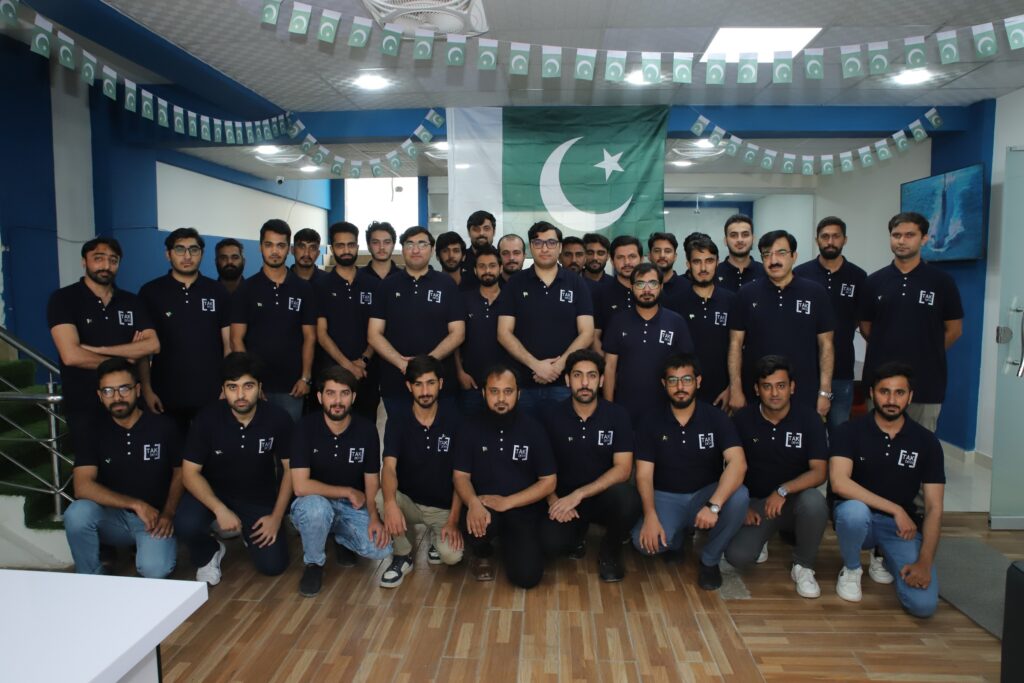
Full disclosure: this section is our own point of view. TAK Devs is a custom software and AI development company headquartered in Islamabad with a US presence, and we have delivered 150+ projects across the US and Europe. We are not a Salesforce-only admin desk. If all you need is a steady stream of declarative changes, a dedicated Salesforce consulting partner may suit you well. Where we fit is the point where your CRM stops being a standalone tool and becomes part of a larger system, connected to an ERP, a customer app, a data warehouse, or an AI agent. We work across CRM and ERP platforms, and we are an official Odoo Partner.
Before we take responsibility for any CRM, we run what we call the Ownership Test. Five questions, asked on day one:
1. Who approves changes, and where is that written down? 2. Where does the documentation live, and is it current? 3. Who can reach production data, and why? 4. What breaks if this integration fails at 2am, and who finds out first? 5. What does the business need this system to do twelve months from now?
If an org cannot answer at least three of those, the first job is not new features. It is getting control back. That discipline comes from work where control is not optional. When we built UpliftCare, a HIPAA-aligned telehealth marketplace, access control and audit trails were requirements from the first sprint, not a cleanup task at the end. Our ISO 27001 certification exists for the same reason: any platform holding customer data deserves the same rigor.
Where Does Salesforce Administration End and Engineering Begin?
A surprising amount of "admin backlog" is not admin work at all.
Salesforce administration covers declarative work inside the platform: users, permissions, fields, Flows, reports, and releases. Once a request involves custom code, integrations with external systems, data pipelines, or AI agents built on your CRM data, it needs software engineering. Treating those tickets as admin tasks is how orgs collect fragile workarounds.
| Request | Who should own it | Why |
|---|---|---|
| "Add a field and update the page layout" | Admin | Pure declarative configuration |
| "Route new leads by territory" | Admin | A Flow, though complex ones deserve a peer review |
| "Sync orders from our ERP every 15 minutes" | Engineering | Integration logic, error handling, retries, and monitoring |
| "Merge 200,000 duplicate records" | Both | Admin defines the rules, data engineering runs it at scale |
| "Give customers a self-service portal" | Engineering | Custom UI, authentication, and performance testing |
| "Let an AI agent answer support questions from case history" | Engineering, with admin governance | Retrieval, guardrails, and permission design |
| "Pass a GDPR audit on CRM data" | Both | Admin controls access, engineering handles retention and data flows |
The engineering side of that line is where TAK Devs works: system integrations, data engineering, custom web and mobile applications, QA and automated testing, cloud architecture, and DevSecOps. If your Salesforce backlog keeps stalling on items like the ones marked "Engineering" above, explore the full range of TAK Devs software and AI solutions to see how that work gets owned end to end.
Outsource Salesforce Administration: Frequently Asked Questions
The questions leaders actually ask before handing their Salesforce org to an outside team, answered straight.
Often, but compare the right numbers. An in-house admin costs salary plus benefits, which BLS data puts at about 46% on top of wages for full-time U.S. private-sector workers, plus recruiting, training, and a vacancy gap. An outsourced team bundles those costs and adds backup coverage. Ask vendors to price your last 60 days of real requests and compare that against your fully loaded in-house figure.
It can be, if access is designed properly. Require a named login for every person, least-privilege permission sets, enforced MFA, and a quarterly access review. Ask for evidence of ISO 27001 or SOC 2 controls and sign a data processing agreement. For regulated data, involve your own legal and security teams before signing.
It depends on change volume, number of clouds, and integrations, not just user count. The most reliable method is to log every request for four to six weeks, including the ones people gave up asking for. Add time for three release test cycles a year and monthly security reviews. A good partner will size the scope from that log instead of guessing.
That depends entirely on the contract. Make documentation a paid deliverable: a change log, a Flow and integration inventory, and a data dictionary stored in your own systems. Add an exit clause with a handover period and credential rotation. If the knowledge lives only in the vendor's heads, you have swapped one single point of failure for another.
Some can, many cannot. Pure admin providers focus on declarative work: users, fields, Flows, reports, and releases. ERP integrations, custom portals, data pipelines, and AI agents need software engineering skills. Ask any vendor to show engineering case studies, not just admin references, and confirm who handles code review and testing.
No. Setup with Agentforce, generally available since May 2026, speeds up routine configuration, but it does not own accountability. Someone still decides what to build, reviews agent-made changes, manages permissions, and keeps data clean. AI shifts the admin role from clicking to governing, which arguably makes experienced oversight more valuable.
Plan for about 90 days to reach a stable rhythm. The first month is an audit of users, permissions, Flows, and integrations. The second month stabilizes the backlog and broken automations. The third month starts KPI-driven improvements. Urgent tickets should be handled from day one, so the transition never leaves the org unattended.
A useful SLA defines severity levels with separate response and resolution targets for each, the hours of coverage and time-zone overlap, an escalation path, and a monthly performance report. It should also state the release testing commitment, documentation standards, and what counts as out of scope, so there are no arguments when the invoice arrives.
Stop Letting Your Salesforce Org Drift
If you decide to outsource Salesforce administration, buy ownership, not hours: documented changes, tested releases, controlled access, and someone accountable when the numbers look wrong. If your org has gone without a clear owner and the backlog now includes integrations and AI work, talk to TAK Devs about taking ownership of the whole system.
See How TAK Devs Owns Your CRM Stack