AI Agent Workflow Automation: What This Guide Covers
Published August 20, 2026 · Last updated August 20, 2026
Most companies do not have an automation problem. They have a hundred small decisions a day that still need a human to read something, judge it, and type the result somewhere else. AI agent workflow automation is what happens when that judgment step gets handed to software that can read, reason, and act, not just move data from one box to another.
What Is AI Agent Workflow Automation?
AI agent workflow automation is the practice of using AI agents, software that can reason over a goal, choose tools, and take multi-step action, to run a business process end to end with little or no manual handoff. Unlike a script that follows fixed rules, an agent decides what to do next based on the data in front of it, then checks its own work before it hands the result to a person or the next system.
If your automation still needs someone to babysit every exception, it is not agentic yet. It is just a faster form of manual work.
This matters for operations and technology leaders at mid-market and enterprise companies right now, because the gap between "we have a chatbot" and "we have a workflow that actually finishes the job" is where most 2026 automation budgets are being spent. If you are a COO, VP of Operations, or CTO trying to decide what to automate next, that gap is the whole conversation.
An agent is not magic. It is a large language model wired to memory, a set of tools, and a feedback loop, aimed at one job. The job might be triaging support tickets, reconciling invoices, or pulling together a compliance report. What makes it "agentic" is that the software plans its own steps instead of following a script someone wrote for every possible case.
How AI Agent Workflow Automation Differs From RPA
The core difference is that robotic process automation (RPA) follows a fixed script, while an AI agent reasons about the goal and adapts its steps when the data does not match what the script expected. RPA is excellent at repetitive, rule-based tasks with clean inputs. It breaks the moment a field is missing, a PDF is scanned instead of typed, or a step needs judgment rather than a lookup table.
RPA does what you told it to do. An agent does what you meant.
Think about invoice processing. A traditional RPA bot reads a fixed set of fields from a fixed template and fails silently, or loudly, the moment a vendor changes their invoice layout. An AI agent reads the invoice the way a person would, finds the total and the line items wherever they sit on the page, flags anything that looks wrong, and only escalates the genuinely ambiguous cases to a human.
That does not make RPA obsolete. It makes it one tool in a bigger toolbox. Plenty of tasks are genuinely rule-based and do not need a reasoning model attached to them. The skill is knowing which parts of a process are mechanical, and which parts have always secretly needed a judgment call that a script was never going to make well.
Why AI Agent Workflow Automation Matters in 2026
Eighty-eight percent of companies say they use AI somewhere in the business. Fewer than one in ten have scaled an agent past a single team. That gap is this year's opportunity.
The numbers back up the urgency without needing much dramatization. Gartner projects that 40% of enterprise applications will carry task-specific AI agents by the end of 2026, up from under 5% in 2025. McKinsey's November 2025 State of AI survey found 23% of organizations are already scaling an agentic AI system in at least one function, with another 39% experimenting.
The same McKinsey research found something more useful than an adoption percentage: high performers, the companies actually getting measurable value from AI, are 2.8 times more likely than everyone else to have fundamentally redesigned a workflow around AI rather than bolting a model onto the old process. Fifty-five percent of high performers report a full workflow redesign, against 20% of everyone else. The lesson is blunt. Adding an assistant to an existing process is not the same project as automating the workflow itself, and only one of those two shows up on the balance sheet.
There is a labor-market backdrop to this too. The World Economic Forum's Future of Jobs Report 2025 projects 170 million new roles created globally by 2030 against 92 million displaced, a net gain of 78 million, with AI and automation named as the single most transformative trend by employers surveyed. That is not a story about jobs disappearing overnight. It is a story about the shape of work changing fast enough that whoever automates the judgment-heavy parts of a process first gets the operating leverage, and everyone else is competing against that head start.
The Core Components That Power an AI Agent Workflow
Every working AI agent workflow needs five things: a reasoning model to plan the next step, memory to hold context across steps, tools to touch real systems, feedback loops to catch mistakes, and an orchestration layer to route work between agents. Miss one of these and the "agent" is really just a chatbot with a nice prompt.
Reasoning and planning is the part people picture first: the large language model that reads the goal and decides what to do. On its own that is not an agent, it is autocomplete. Memory and state are what let the agent remember that it already checked the customer's order history three steps ago, instead of asking again. Tools and data are the hooks into your actual systems, your CRM, your ticketing tool, your database, without which an agent can only talk about doing work, not do it.
Feedback loops are the part most first attempts skip, and the part that separates a demo from a production system. This is where the agent's output gets checked, either by a human, a rules engine, or a second model, before anything irreversible happens. Orchestration is the traffic control layer once you have more than one agent: it decides which agent handles which sub-task and what happens when two of them disagree.
- Reasoning and planning. The model that decides the next action based on the goal and the current state, not a fixed script.
- Memory and state. Short-term context for the current task and longer-term memory of prior interactions or decisions.
- Tools and integrations. APIs, databases, and internal systems the agent can actually call, not just describe.
- Feedback loops. Human review, automated checks, or a second model that verifies output before it ships.
- Orchestration. The layer that routes tasks across multiple agents and resolves conflicts between them.
Custom AI development work in this area, the kind our custom AI development services team handles most often, is really about wiring these five pieces together so they survive contact with real, messy company data, not the clean demo data a framework's tutorial uses.
Common AI Agent Workflow Patterns
Most agentic workflows are variations on the same loop: retrieve, reason, act, check, repeat. The pattern differs in how many agents share the loop.
Retrieval augmented generation, usually shortened to RAG, grounds the agent's reasoning in your actual documents and data instead of whatever the model memorized during training. It is the pattern behind almost every agent that needs to answer questions about internal policy, a knowledge base, or a contract.
Multi-agent collaboration splits a complex job across several specialized agents instead of asking one generalist model to do everything. A specialized researcher agent gathers facts, a specialized writer agent drafts the response, and a specialized reviewer agent checks it, each one narrower and more reliable than a single agent trying to do all three jobs at once. Tool-augmented execution is the pattern where the agent's real power comes from what it can call, not what it can generate: a support agent that can actually issue a refund is doing something meaningfully different from one that can only suggest issuing a refund.
Hub-and-spoke orchestration is the pattern for when you have several of these agents running and need one place that decides who does what. It is the difference between five smart specialists with no manager and five smart specialists with a manager who knows what everyone is working on. Most production systems that scale past a single use case end up needing this pattern whether they planned for it or not.
Real-World AI Agent Workflow Examples by Function
Customer service and IT support are still where most teams start, and for good reason: the tickets are structured, the resolution paths are well documented, and a wrong answer is annoying rather than dangerous. Support agents that triage, draft a response, and only escalate genuinely novel issues are the single most common production agent workflow today, and McKinsey's research places IT and knowledge management as the two functions with the most reported agent use.
| Function | What the Agent Does | Typical Trigger |
|---|---|---|
| Customer support | Reads the ticket, checks order history, drafts or sends a response, escalates edge cases | New ticket or chat message |
| IT service desk | Diagnoses common issues, runs scripted fixes, opens a change request for anything unresolved | Employee help request |
| Finance and compliance | Reconciles transactions, flags anomalies, drafts the compliance report for review | Scheduled batch or threshold breach |
| Engineering | Reviews pull requests, searches prior incidents, suggests a fix based on similar past bugs | New code commit |
| Data operations | Validates incoming data, fixes common formatting errors, routes exceptions to a person | New data batch received |
Finance and compliance teams are a quieter but growing use case, because the work is exactly the kind an agent handles well: pattern recognition across large volumes of transactions, with a human reviewing anything flagged. Engineering teams increasingly use agents for code review and bug triage, searching prior incidents for a similar failure before a human ever opens the ticket. None of these replace the team. They change what the team spends its first hour on.
Choosing the Right AI Agent Workflow Automation Tools
The right tool depends on the stakes, not on which framework is trending. No-code platforms such as n8n and Zapier get a single workflow live in days. Agent frameworks such as LangChain, LangGraph, and CrewAI give you the flexibility to build multi-agent systems, at the cost of needing engineers who know how to use them. Custom-built systems trade speed for the control that regulated or high-complexity operations actually require.
| Option | Best For | Learning Curve | Where It Breaks |
|---|---|---|---|
| No-code (n8n, Zapier) | A single, well-defined workflow | Low, days not weeks | Multi-agent logic, complex branching |
| Agent frameworks (LangChain, LangGraph, CrewAI, AutoGen) | Multi-agent systems with custom logic | Medium to high, needs engineers | Heavy governance and audit requirements |
| Custom-built | Regulated industries, complex or high-volume operations | Requires a dedicated dev team | Slower initial time to first result |
A pilot can be no-code. Production, for anything with real stakes, rarely stays that way.
The honest pattern we see across client engagements: teams start with a no-code tool to prove the concept in a week, then hit a wall the moment the workflow needs to coordinate more than one agent, touch a regulated data type, or handle a volume the no-code platform was never priced for. That is usually the point at which a framework or a custom build takes over, not because the no-code tool failed, but because it did its job of proving the idea was worth the next investment.
How to Build an AI Agent Workflow: A Six-Step Framework
This is the sequence our engineering team runs on every AI agent workflow automation project, refined across builds for clients in health tech, fintech, and retail. It is deliberately a loop, not a line, because the teams who treat this as a one-time rollout are the ones who end up back at square one a year later.
- Map the process. Document the current workflow exactly as it runs today, including every judgment call a human currently makes, before touching any tooling.
- Pick one high-value workflow. Choose a single process with clear success criteria rather than trying to automate a department at once.
- Choose the stack. Match the tool to the stakes using the comparison above, not to whichever framework is loudest on social media this month.
- Build and test against real data. Clean demo data hides the failure modes that matter. Test with the messy, real inputs the workflow will actually see.
- Deploy with guardrails. Ship with human review on the highest-risk decisions and a clear rollback path, not with the agent given full autonomy on day one.
- Measure and refine. Track the KPIs in the next section, then loop back to mapping the next process once this one is stable.
How to Measure the Success of an AI Agent Workflow
If the only metric you track is "did we deploy it," you will not notice the project failing until finance does.
Cycle time and resolution rate are the two numbers that matter most in the first ninety days: how long the workflow takes end to end, and what share of cases it closes without a human touching them. After that, watch the escalation rate closely, since a rising share of cases kicked to a human usually means the agent is meeting edge cases the original mapping missed, not that the workflow is broken.
- Cycle time. How long the workflow takes from trigger to resolution, compared against the manual baseline.
- Autonomous resolution rate. The share of cases the agent closes without human intervention.
- Escalation and error rate. How often the agent hands off, and how often a human has to correct its output after the fact.
- Cost per case. Fully loaded, including model spend, against the cost of the manual process it replaced.
- Downstream impact. The metric the workflow was actually built to move, such as customer satisfaction or days to close the books.
The most common measurement mistake is stopping at deployment metrics rather than business ones. A workflow that resolves 80% of cases autonomously but has quietly increased customer complaints has not succeeded. Tie every agent workflow to the business number it was meant to move before you start, not after someone asks for a return on investment number in a budget review.
Security, Governance, and Risk Considerations for AI Agent Workflows
Governing an AI agent workflow means controlling what data it can see, what actions it is allowed to take without approval, and who can audit what it actually did. An agent that can read customer records and issue refunds needs a materially different level of control than one that only drafts a summary for a human to approve.
The riskiest agent in your company is not the one that is wrong. It is the one nobody can explain after the fact.
Governance for agentic systems stacks in layers, and skipping a lower layer undermines everything built on top of it. Data and access controls come first: an agent should only ever see the data it strictly needs for its task, never a blanket grant to "everything." Model and prompt governance sits above that, covering which models are approved for which tasks and how prompts are reviewed and versioned. Agent action boundaries define what the agent can do without a human sign-off, and human oversight with an audit trail sits at the top, since every consequential action needs a record of what happened and why, in language a non-engineer can review.
The ISO/IEC 42001 standard, published in December 2023, is the first international management system standard built specifically for AI, and it gives a structured way to formalize exactly these layers rather than inventing controls from scratch. For companies in health tech, fintech, or legal services, this is not optional polish. It is the difference between an agent workflow that survives an audit and one that becomes the audit finding.
None of this should read as a guarantee. Agentic systems can still make mistakes, and no governance framework eliminates that risk entirely. What good governance does is make failures visible, contained, and correctable quickly, rather than silent, spreading, and discovered three months later in a customer complaint.
Common Mistakes That Sink AI Agent Workflow Projects
Gartner predicts over 40% of agentic AI projects will be canceled by the end of 2027, citing escalating costs, unclear business value, and inadequate risk controls as the top reasons. Almost none of the actual failures we have seen up close come down to the model being incapable. They come down to a short list of avoidable planning mistakes.
- Automating a broken process. An agent executes the existing workflow faster, including every inefficiency nobody had gotten around to fixing.
- Skipping the pilot's real data. A workflow that only ever saw clean sample data breaks the first week it meets production inputs.
- No clear owner. If nobody is accountable for the workflow after launch, drift and silent failures go unnoticed for months.
- Chasing the framework instead of the outcome. Picking the most talked-about agent framework before defining what success looks like.
- "Agent washing." Rebranding an existing chatbot or RPA script as an agent without adding the reasoning or autonomy that makes it one.
That last one deserves a beat of honesty. Not every workflow needs an agent. Plenty of processes are genuinely rule-based, and forcing a reasoning model onto a task a simple script already handles well just adds cost and unpredictability for no benefit. The teams that succeed are the ones willing to say "this part does not need to be agentic" as often as they say yes.
Industry-Specific AI Agent Workflow Automation Plays
AI agent workflow automation is not one-size-fits-all. The highest-value process, and the acceptable level of risk, shifts by sector. Here is where the return tends to concentrate for the industries we build for most.
Health tech
Intake triage, prior authorization drafting, and appointment scheduling agents, always with a clinician in the loop on anything touching diagnosis or treatment.
Fintech
Transaction monitoring, reconciliation, and compliance report drafting, where explainability and audit trails matter as much as speed.
Legal tech
Contract review agents that flag non-standard clauses and summarize redlines, with every flag traceable back to the source clause.
Retail and e-commerce
Inventory exception handling, returns triage, and personalized outreach agents that act on real-time stock and order data.
Travel and hospitality
Booking change agents and itinerary rebuilds that handle multi-leg disruptions faster than a call center queue.
SaaS
Onboarding agents and support triage that scale customer success without a linear increase in headcount.
How TAK Devs Approaches AI Agent Workflow Automation
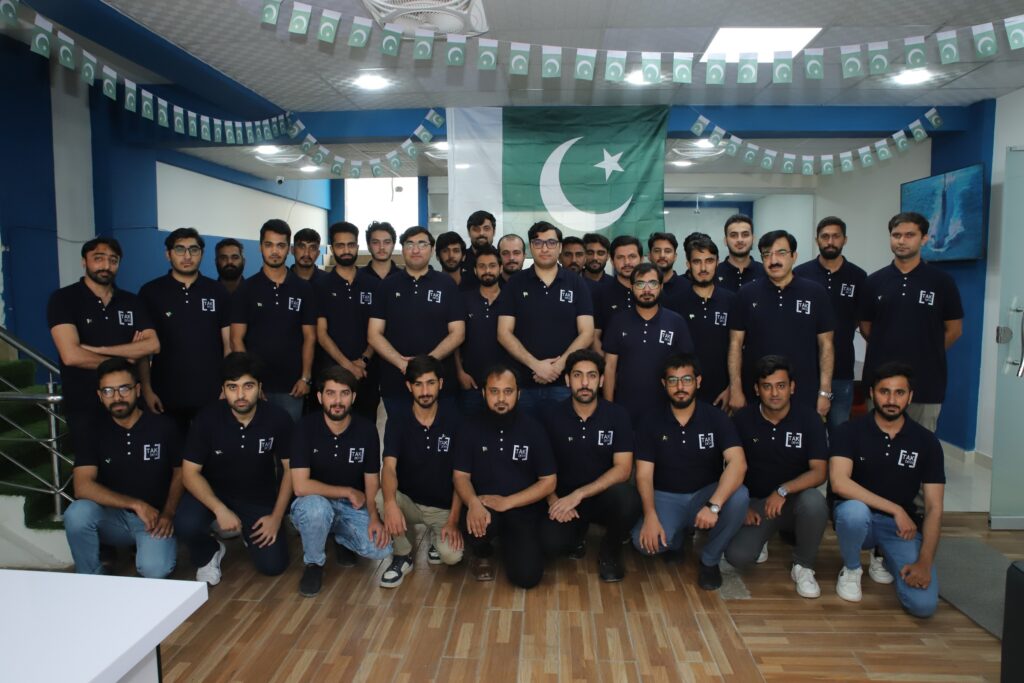
Plenty of agencies bolt an AI agent onto an existing process and call it transformation. TAK Devs comes at this from the engineering side first: 100% of the team writing these systems is a qualified software and AI engineer, working under ISO 9001 and ISO 27001 certification, which matters more than it sounds once an agent workflow starts touching production data and regulated processes.
That shows up in three habits across every AI agent workflow project we run. First, we map the process in detail before opening a code editor, because the biggest cost overruns in this field come from discovering a hidden judgment call three weeks into a build, not from the model itself. Second, we build the governance layers in from day one rather than retrofitting them after an audit asks for them. Third, we scope tight and prove value on one workflow before expanding, the same six-step loop covered above, because a client who sees a working result in six weeks funds the next phase without a fight.
Our team applied exactly this approach on the UpliftCare telehealth marketplace, a HIPAA-aligned build delivered in roughly three months, where workflow automation had to be fast enough to matter and careful enough to survive a healthcare compliance review. That combination, speed with an audit trail, is what most AI agent workflow projects actually need and most rushed builds skip.
TAK Devs Solutions for AI Agent Workflow Automation
Once a workflow is mapped and the stack is chosen, the actual build spans a few disciplines that rarely live under one roof, which is why most AI agent workflow projects stall at the handoff between them. Our full range of solutions covers that handoff end to end rather than leaving a client to stitch together three vendors.
- AI and data solutions. Generative AI development, AI agents and chatbots, AI MVPs, and the data engineering an agent needs to reason over real information.
- Software engineering. Custom enterprise software and AI-powered applications built to house the workflow, not just the model.
- Cloud and DevOps. The infrastructure and CI/CD pipelines an agent workflow needs to run reliably at production volume.
- Security and compliance. Risk assessment and DevSecOps for workflows touching regulated or sensitive data.
- Optimization and QA. The manual and automated testing that catches an agent's edge cases before your customers do.
The point of listing these out is not to sell every service at once. It is that an AI agent workflow rarely fails because the model was weak. It fails at the seams, between the data layer and the model, between the model and the interface, between a pilot and a production deployment with real uptime requirements. Having one accountable team across those seams is what turns a working demo into a workflow that survives its first bad data day.
Your 2026 AI Agent Workflow Automation Roadmap
You do not need every process agent-ready this year. You need one cluster of high-value workflows you own completely, which funds the next phase.
Start by auditing which of your current workflows already have clean, documented steps and a measurable outcome. Pick the one process where a faster, more consistent result would visibly matter to the business this quarter, not the one that is technically most interesting to automate. Prototype fast against real data, add the guardrails from the governance section before anything touches production, deploy with a rollback plan, and only then measure and expand to the next process.
2026 is a reasonable year to expect Gartner's projected shift from embedded assistants to genuine task-specific agents to show up in your own stack, whether or not you plan for it. The organizations that end this year ahead will not be the ones that automated the most processes. They will be the ones that automated the right one first, proved it, and built the governance muscle to do the next one faster.
AI Agent Workflow Automation: Frequently Asked Questions
The questions operations and technology leaders actually ask before committing budget to an AI agent workflow automation project, answered directly.
RPA follows a fixed script and breaks when inputs do not match what it expects. AI agent workflow automation uses a model that reasons about the goal and adapts its steps, handling exceptions RPA would need a human to fix. Most production systems end up using both: RPA for the truly mechanical steps, agents for the judgment calls.
A single no-code pilot can cost a few thousand dollars in tooling and a few weeks of internal time. A custom, production-grade workflow with governance and integrations typically runs into the tens of thousands, scaling with the number of systems it touches and the compliance requirements around it. Scope one workflow first rather than pricing a department-wide rollout up front.
A well-scoped pilot can reach a working prototype in two to six weeks. Getting from prototype to a production deployment with governance, testing against real data, and a rollback plan typically adds another six to twelve weeks, depending on how many systems the workflow needs to integrate with.
No-code tools like n8n or Zapier are genuinely enough for a single, well-defined workflow with modest volume. The moment you need multi-agent coordination, heavy governance, or integration with legacy systems, you need engineers who understand the underlying frameworks, whether that is an in-house hire or a partner team.
In a properly governed workflow, a wrong decision is caught by a feedback loop or human review step before it causes real damage, and logged in an audit trail so the team can see why it happened. The fix is not to expect zero mistakes. It is to make every mistake visible and contained fast, which is why guardrails matter more than model choice.
Pick a process that is high volume, well documented, and has a measurable outcome, such as ticket triage or invoice reconciliation. Avoid starting with your most complex or highest-risk workflow. A visible early win on a modest process is what funds and de-risks the harder ones later.
It can be, with the right controls. That means data access limits, model governance, defined action boundaries, and a full audit trail, built to a recognized framework such as ISO/IEC 42001. It is not something to bolt on after launch. Consult your own compliance team on the specific regulatory requirements for your data and jurisdiction.
Track cycle time, autonomous resolution rate, and cost per case against your manual baseline, then tie the result to a real business metric like customer satisfaction or days to close the books. Gartner's own research shows over 40% of agentic AI projects get canceled over unclear value, so define the target metric before you build, not after.
Ready to Automate the Workflow That Actually Matters?
If your team is still deciding between a no-code pilot and a full build, that conversation is exactly where we start. Tell us about the process and we will scope the workflow worth automating first.
Talk to Our AI Engineering Team