
Cloud Migration Engineering Services at a Glance
Cloud migration engineering services cover the full technical build behind moving workloads to the cloud and keeping them running there, not just the one-time act of copying servers over. The 12 factors below are what separate a migration that ships on schedule from one that stalls in a rebuild meeting six months later.
Organizations waste 29% of their cloud infrastructure spend on average, and 85% now call managing that spend their single biggest cloud challenge. Both numbers went up in 2026, not down, and most of the gap traces back to engineering decisions made in the first week of migration.
What Cloud Migration Engineering Services Actually Are
Migration gets your workloads into the cloud. Engineering is what keeps them running there without a 2am page six weeks later.
Cloud migration engineering services combine two things that get sold separately far too often: the one-time technical move (assessment, strategy selection, cutover) and the ongoing infrastructure build that has to exist underneath it (landing zones, identity and governance, cost controls, monitoring). A plain "migration service" can lift your servers into a cloud account and call the job done. Engineering is what decides whether that account is still healthy, secure, and affordable a year later.
The distinction matters more in 2026 than it did a few years ago, because the workloads moving now are rarely simple. Teams are migrating AI and data pipelines alongside traditional applications, and doing it across hybrid and multi-cloud estates rather than a single provider. That combination raises the technical bar for everything from network design to cost forecasting, which is exactly why so many migrations that would have succeeded in 2020 now stall partway through.
Most structured approaches to this work break the project into phases: preparing and assessing the portfolio, planning the migration strategy and landing zone, executing the move in waves, stabilizing operations after cutover, and optimizing the environment once it is running. AWS's own prescriptive guidance frames this around choosing the right migration strategy per workload rather than applying one approach to an entire portfolio, and that per-workload judgment is where the engineering work really lives.
| Phase | What Actually Happens | Where It Goes Wrong |
|---|---|---|
| Prepare and Assess | Inventory workloads, map dependencies, score readiness | Rushed discovery misses hidden dependencies |
| Plan and Design | Pick a strategy per workload, build the landing zone | Landing zone skipped or bolted on late |
| Migrate and Execute | Move in waves, validate data, cut over traffic | Big-bang cutover with no rollback plan |
| Stabilize | Monitor, tune, hand off to operations | Team disbands right after cutover |
| Optimize | Right-size, govern cost, modernize further | No owner for cost or performance after launch |
That five-phase shape is a reasonable mental model, but it says nothing about which decisions inside each phase actually determine success. That is what the rest of this guide covers.
The 12 Factors That Decide If Your Migration Ships or Stalls
None of these are exotic. Every one of them is a normal, well-documented part of cloud engineering. What separates the migrations that ship from the ones that stall is whether someone owns each factor deliberately, or whether it gets discovered by accident three weeks before a deadline.
- Assessment depth. Whether dependency mapping happens before the wave plan is built, or gets discovered mid-migration.
- Migration strategy choice. Matching rehost, replatform, or refactor to each workload instead of picking one approach for everything.
- Landing zone architecture. Network, identity, and guardrails built before the first workload lands, not after.
- Identity and governance. Policy as code and guardrails that scale as more accounts and workloads join.
- Data migration strategy. How replication, validation, and cutover are sequenced for each data store.
- Downtime tolerance. What the business can actually absorb, matched honestly to the cutover plan.
- Security embedded early. Encryption, IAM, and compliance mapped in from the design phase, not audited in afterward.
- Compliance and data residency. Where regulated data is allowed to live, especially as sovereign cloud options expand.
- Cost governance. Budgets, tagging, and forecasting that exist before the first invoice arrives, not after.
- FinOps discipline. A living practice, not a one-time cost review after the migration wraps.
- Post-migration stabilization. Monitoring and hypercare that runs long enough to catch what the demo never showed.
- Change management. Whether the people running the new environment were part of the plan or handed a fait accompli.
Assessment Depth and the Migration Strategy Decision
The fastest way to blow a migration timeline is to skip the boring part: finding out what you actually have before you decide how to move it.
Dependency mapping sounds like a formality until an application you did not know existed turns out to be calling a database you just decommissioned. A proper assessment inventories every workload, maps the connections between them, and scores each one for migration readiness before a single server moves. Skipping this step does not save time. It just moves the discovery to week six, when it costs far more to fix.
Once the portfolio is mapped, the next decision is which migration strategy fits each workload. AWS's prescriptive guidance frames this as a set of seven approaches, commonly called the 7 Rs of migration: rehost, replatform, repurchase, refactor, relocate, retain, and retire. Rehosting moves an application with no code changes and is the fastest path, but it captures the least cloud value. Replatforming introduces some optimization, often by moving to a managed database or container platform, without a full rebuild. Refactoring rearchitects the application to be cloud native and delivers the most long-term value, but it is also the slowest and most expensive path, which is why AWS specifically advises against using it broadly across a large migration.
The mistake worth naming directly: treating this as a one-size decision. Most healthy portfolios use three to five strategies across their applications, rehosting commodity workloads for speed, replatforming the ones that benefit from managed services, and reserving refactor budget for the handful of applications where a rebuild genuinely pays for itself. Applying refactor-level effort everywhere is how a six-month project becomes an eighteen-month one, and applying rehost-only thinking everywhere is how you end up paying cloud prices for on-premises architecture indefinitely.
Landing Zone Architecture and Identity Governance
A landing zone is not a nice-to-have you add after the first few workloads move. Everything you migrate before it exists inherits whatever gaps it was missing.
A landing zone is the foundational account structure a workload lands on: network segmentation, identity and access management, logging, and the guardrails that keep every account that follows in line with policy automatically. Building this after workloads have already moved means retrofitting security and governance onto systems that are already live, which is slower and riskier than doing it first.
Identity and governance is the layer most teams underinvest in early. Single sign-on, role-based access, and policy as code all need to exist before the second or third team starts creating resources, because retrofitting access control across dozens of accounts is a project in its own right. Policy as code in particular pays for itself quickly: instead of manually reviewing every new resource for compliance, guardrails block or flag non-compliant configurations automatically, which is the difference between catching a misconfigured storage bucket in a pull request and catching it in a breach notification.
Network Segmentation
VPC design and connectivity planned for the eventual multi-account estate, not just the first workload.
Centralized Identity
SSO and role-based access defined once and inherited by every new account, not recreated per team.
Policy as Code
Guardrails that catch a misconfiguration automatically, before it becomes an incident.
Data Migration Strategy and Downtime Tolerance
How much downtime can your business actually absorb? Most teams answer this question with a number that has never been tested against their real cutover plan, which is how a "near-zero downtime" requirement quietly turns into a four-hour maintenance window nobody budgeted for.
Data migration for anything beyond a small database usually runs as a phased cutover rather than a single copy operation. Bulk replication moves the historical data first while the source system stays live. Dual writes then keep both the old and new systems synchronized so the cutover point can be tested without risking the only copy of production data. Validation checks confirm the two systems match before traffic actually shifts, and the legacy system is only decommissioned once the new one has proven itself under real load.
Rollback planning belongs in this same conversation, not as an afterthought. If cutover does not go as planned, the team needs a tested path back to the previous state, not an improvised one written under pressure at 1am. A rollback plan that only exists on paper is not a rollback plan, it is a hope.
Security and Compliance Embedded from Day One
Retrofitting security after a migration is like adding a foundation to a house that is already built. Technically possible, extremely expensive, and never as solid as doing it first.
Encryption, IAM scoping, and network isolation need to be design decisions made during the landing zone build, not audit findings raised after the workload is already live. The same applies to compliance mapping: knowing which regulations apply to which data before you decide where that data is allowed to live, rather than discovering a data residency conflict after the migration wave has already run.
That question of where data is allowed to live has gotten more complicated in 2026, not less. According to Gartner, worldwide sovereign cloud spending is forecast to reach $80 billion this year, a 35.6% jump, as organizations outside the US and China push for more control over where their workloads and data physically sit. For any migration touching regulated industries, cross-border operations, or government contracts, sovereign and regional cloud options are now a real design input, not an edge case to handle later.
- Encryption by default. At rest and in transit, configured at the landing zone level rather than per application.
- Least-privilege IAM. Roles scoped to what a service actually needs, not broad permissions granted for convenience.
- Data residency mapping. Regulated data assigned to the right region or sovereign cloud before migration, not after a compliance review flags it.
- Automated compliance checks. Continuous scanning against the frameworks that actually apply, not a one-time pre-launch audit.
Cost Governance and FinOps Discipline
The cloud bill that arrives three months after go-live is where a surprising number of "successful" migrations quietly stop looking successful.
Cloud spend is now enough of a board-level concern that most organizations treat it as an engineering discipline rather than a finance afterthought, and the 2026 data explains why. Flexera's 2026 State of the Cloud Report found that wasted cloud spend rose to 29% this year, reversing five straight years of decline, largely because AI workloads and new pricing models are making costs harder to forecast. The same report found that managing cloud spend remains the single most cited challenge for cloud leaders, and that 73% of organizations are now running hybrid estates, which only adds to the forecasting complexity.
The FinOps Foundation's 2026 survey of practitioners managing over $83 billion in annual cloud spend found that 98% now manage AI spend directly, up from just 31% two years earlier, and that teams are running out of easy wins. One practitioner in the survey summed up the shift:
Teams now face a long list of smaller, harder-to-capture savings instead of one obvious fix. That shift matters for migration planning specifically: a cost model built once during the migration and never revisited will be wrong within two quarters, especially once AI workloads are added to the estate.
Practical governance that actually holds up: tagging enforced from the first resource created, budgets and alerts configured before workloads go live rather than after the first surprising invoice, and a named owner (not a shared inbox) responsible for reviewing spend on a fixed cadence. None of that requires exotic tooling. It requires someone deciding it matters before the migration ships, not after.
Post-Migration Stabilization and Monitoring
Cutover is not the finish line. It is the point where the workload starts generating real signals for the first time, and someone needs to be watching them.
The period right after cutover, often called hypercare, is where migrations either quietly succeed or quietly start accumulating the technical debt that shows up as an incident eight months later. This is when real user traffic hits the new environment for the first time, and it is the only point where the team can distinguish a genuine problem from a false alarm before it affects the business.
The teams that get this right treat stabilization as a defined phase with its own owner and exit criteria, not an informal "we will keep an eye on it" arrangement. That means monitoring and alerting configured before cutover, not scrambled together after something breaks, a tuning pass once real traffic patterns are visible, and a formal handoff to whoever owns day-to-day operations once the environment has proven stable against defined criteria. Skipping straight from cutover to "business as usual" is how a migration project ends on paper while the underlying environment is still quietly unstable.
Change Management and Organizational Readiness
The best landing zone in the world will not save a migration if the team that has to run it was never consulted about how it works.
Migrations fail for organizational reasons at least as often as they fail for technical ones. A team that finds out about a new deployment process on go-live day, rather than during planning, will resist it, misuse it, or quietly route around it. None of that shows up in a technical readiness assessment, and all of it shows up in the first incident review.
Practical change management for a migration does not need to be complicated. It means including the operations team in landing zone decisions before they are finalized, running training on new tools and processes before cutover rather than after, and setting expectations early about what will genuinely be different day to day. Executive sponsorship matters here too: a migration championed by one team but never explained to the rest of the organization tends to stall the moment the original sponsor moves on to the next priority.
- Early stakeholder involvement. Operations and application owners consulted during planning, not informed after decisions are made.
- Training before cutover. New tools and workflows practiced ahead of go-live, not learned under production pressure.
- Sustained executive sponsorship. Visible support that outlasts the original sponsor's attention span.
Trends Shaping Cloud Migration Engineering in 2026
Hybrid is not a transitional phase anymore. For most organizations, it is the permanent architecture.
Flexera's 2026 data puts hybrid cloud adoption at 73% of organizations, up again year over year, and multi-cloud adoption is climbing too, often for reasons that have nothing to do with strategy: mergers, SaaS sprawl, and teams choosing different providers for different workloads. Migration engineering in 2026 has to assume connectivity across environments from day one rather than treating hybrid as a temporary state to migrate out of.
Sovereign and regional cloud is the second big shift. With Gartner projecting sovereign cloud spending to hit $80 billion this year on 35.6% growth, data residency has moved from a compliance checkbox to an architecture decision that shapes which regions and providers are even on the table for a given workload, particularly in finance, healthcare, and government-adjacent work.
AI workloads are the third factor, and they are reshaping cost forecasting more than any other single trend. The FinOps Foundation's data shows AI cost management went from a niche concern for 31% of practitioners two years ago to a near-universal one at 98% today. Migrations that once budgeted for predictable compute and storage now need to account for token consumption, GPU utilization, and inference costs that behave nothing like traditional cloud pricing.
Finally, "migration as a service" is changing how this work gets packaged. Instead of a single fixed-scope project, more providers now offer modular engagements that let an organization adopt just the phases it needs, whether that is a discovery and assessment sprint, a landing zone build, or ongoing FinOps support after the migration wraps. That modularity is useful, but it only works if each module is handed to a team that treats the factors in this guide as connected rather than as separate line items on an invoice.
When Migrations Stall: Common Pitfalls and Real Patterns
Every stalled migration has a moment, usually weeks earlier, where a shortcut got taken and nobody flagged it as a risk yet.
The pattern repeats often enough across industries to be predictable. It rarely starts with one dramatic failure. It starts with a small shortcut that compounds.
A rushed or skipped assessment is where most stalls originate. An application nobody fully mapped surfaces three weeks into a wave, dragging a dependency nobody planned for along with it. That triggers scope creep, since the newly discovered application needs its own assessment and strategy decision mid-flight. Scope creep then triggers budget and timeline slippage, often through costs nobody modeled up front like data egress fees or software licenses that do not transfer cleanly to a new environment. Under that pressure, governance shortcuts start looking tempting: a security review gets abbreviated, a rollback plan gets sketched rather than tested. When one of those shortcuts causes an incident, the whole project can freeze while trust gets rebuilt, which is a far more expensive outcome than the extra week the original assessment would have taken.
None of these failure points require exotic causes. A mid-size healthcare provider assessing a legacy claims system, a retail company migrating a monolith during peak season, a financial services firm juggling data residency requirements across regions: the specific industry changes, but the failure sequence above shows up in some form across nearly all of them. The fix is not more heroics during cutover. It is spending the time on assessment and governance that the schedule always tries to talk you out of.
The TAK Devs Approach to Cloud Migration Engineering
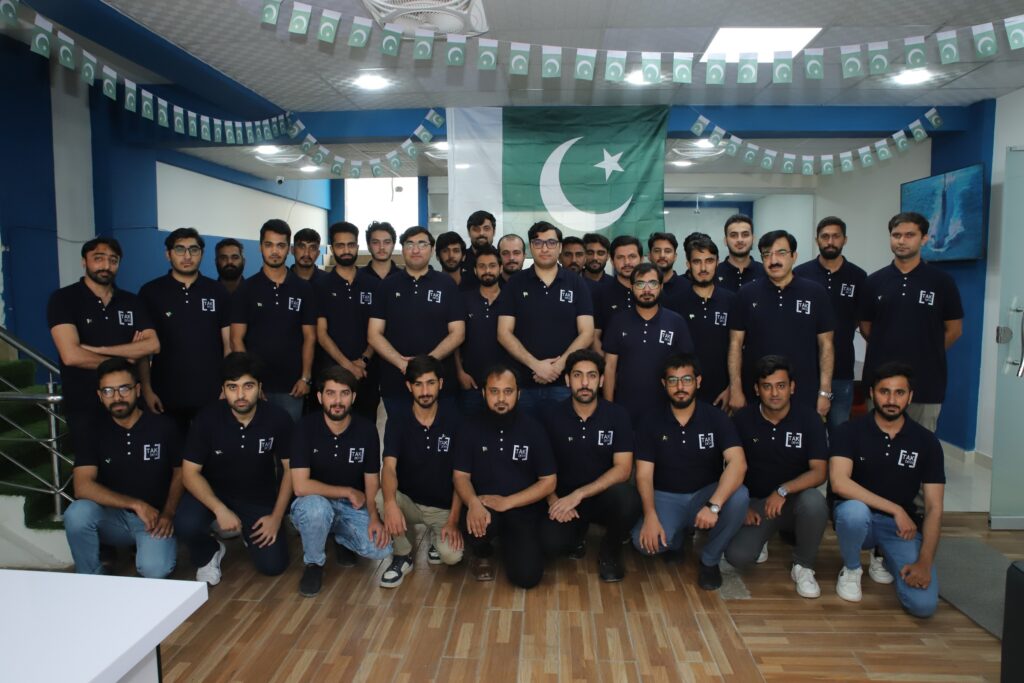
At TAK Devs, cloud migration engineering starts from a simple premise: the migration and the engineering behind it are the same project, not two separate ones handed off at cutover. That means the team scoping your assessment is the same team building your landing zone, and the same team still around during stabilization to make sure monitoring and cost governance are actually working before anyone calls the project done.
Cloud migration is one part of a broader engineering practice, which is why it lives alongside our other TAK Devs solutions rather than as an isolated offering. If your migration includes AI or data pipeline workloads, that work connects directly with our custom AI development services, since the cost governance and architecture questions for AI workloads compound the ones already covered in this guide. For the migration and cloud engineering work itself, our cloud services cover assessment, landing zone builds, migration execution, and post-migration FinOps as one connected engagement.
One Team, Full Lifecycle
The engineers who scope the assessment stay on through stabilization, so nothing gets lost in a handoff between teams.
Landing Zone First
Identity, network, and guardrails built before workloads move, not retrofitted after the first incident.
FinOps Baked In
Cost governance configured before go-live, with a named owner reviewing spend on a fixed cadence afterward.
Change Management Included
Operations teams involved in landing zone decisions early, with training scheduled before cutover, not after.
A migration that ships is not the one that moves the most servers the fastest. It is the one still running cleanly, on budget, a year after the go-live announcement.
Frequently Asked Questions About Cloud Migration Engineering Services
The questions CTOs, founders, and IT leads ask most often before committing to a migration partner.
Migration services typically cover the one-time move, lifting workloads into a cloud account and calling the project complete at cutover. Engineering services add the ongoing technical build underneath that move: landing zone architecture, identity and governance, cost controls, and monitoring that keep the environment healthy long after cutover. The gap between the two is usually where a "successful" migration quietly turns into a costly, insecure environment within the first year.
It depends heavily on portfolio size and which migration strategies are involved. A single application rehost can take a few weeks. A large enterprise migration spanning dozens of applications with a mix of rehost, replatform, and refactor work commonly runs 6 to 18 months, with wave-based execution rather than a single cutover. The assessment phase alone deserves real time. Rushing it is the single most common cause of schedule slippage later.
Most healthy migrations use a mix of all three, matched per application rather than one strategy for the entire portfolio. Rehost fits commodity workloads and tight deadlines. Replatform fits applications that benefit from managed services without a full rebuild. Refactor is reserved for the applications where a cloud-native rebuild genuinely pays for itself, since AWS's own guidance notes it is the slowest and most complex approach and is not recommended broadly across a large migration.
Cost varies widely with portfolio complexity, so there is no single reliable number. Budgets most often go over for the same handful of reasons: data egress and transfer fees that were never modeled, licensing costs that do not transfer cleanly to the new environment, and post-migration cloud spend that goes ungoverned because no one owns cost review after go-live. Flexera's 2026 data shows 29% of cloud spend now goes to waste industry-wide, which is exactly the gap that dedicated cost governance is meant to close.
Yes, even at small scale. A landing zone is not just for large enterprises. It is the identity, network, and governance foundation that every workload sits on, and skipping it for "just a few applications" tends to mean rebuilding that foundation later once a fifth or sixth application arrives and the ad hoc setup no longer scales. Building it right the first time, even minimally, is cheaper than retrofitting it.
The work that matters most often happens here. Post-migration stabilization (monitoring, alerting, and a tuning pass against real traffic) needs to run long enough to catch what a demo never revealed, before formal handoff to whoever owns day-to-day operations. Skipping straight from cutover to "business as usual" is one of the most common reasons a technically complete migration turns into an operationally unstable one.
Significantly. Flexera's 2026 data shows 73% of organizations now operate hybrid cloud estates, which means migration engineering has to plan for connectivity, identity, and cost visibility across environments from the start, rather than treating hybrid as a temporary state on the way to a single provider. Landing zone design and FinOps tooling both need to account for multiple environments from day one, not be bolted on after the fact.
Look for a partner who treats assessment, landing zone architecture, migration execution, and post-migration stabilization as one connected engagement, not separate line items handed off between different teams. Ask specifically how they handle cost governance after go-live and change management for your operations team, since those two factors are where otherwise well-executed migrations most often lose their value in the months after cutover.
Ready to Turn Your Cloud Migration Into an Engineering Win?
Tell us what you are moving and what it needs to run on. We will assess your portfolio against real dependencies, real cost data, and real governance requirements, and scope exactly what it takes to ship it right.
Book a Free Discovery Call