Enterprise Workflow Automation at a Glance
A single purchase order moves through three approvers, two systems, and a stack of email inboxes before it ever turns into a payment. Multiply that by ten thousand POs a year and you can see why finance, IT, procurement, and HR teams keep asking the same question: how do we get this work to run by itself, reliably, at the scale our business actually operates at?
What Is Enterprise Workflow Automation?
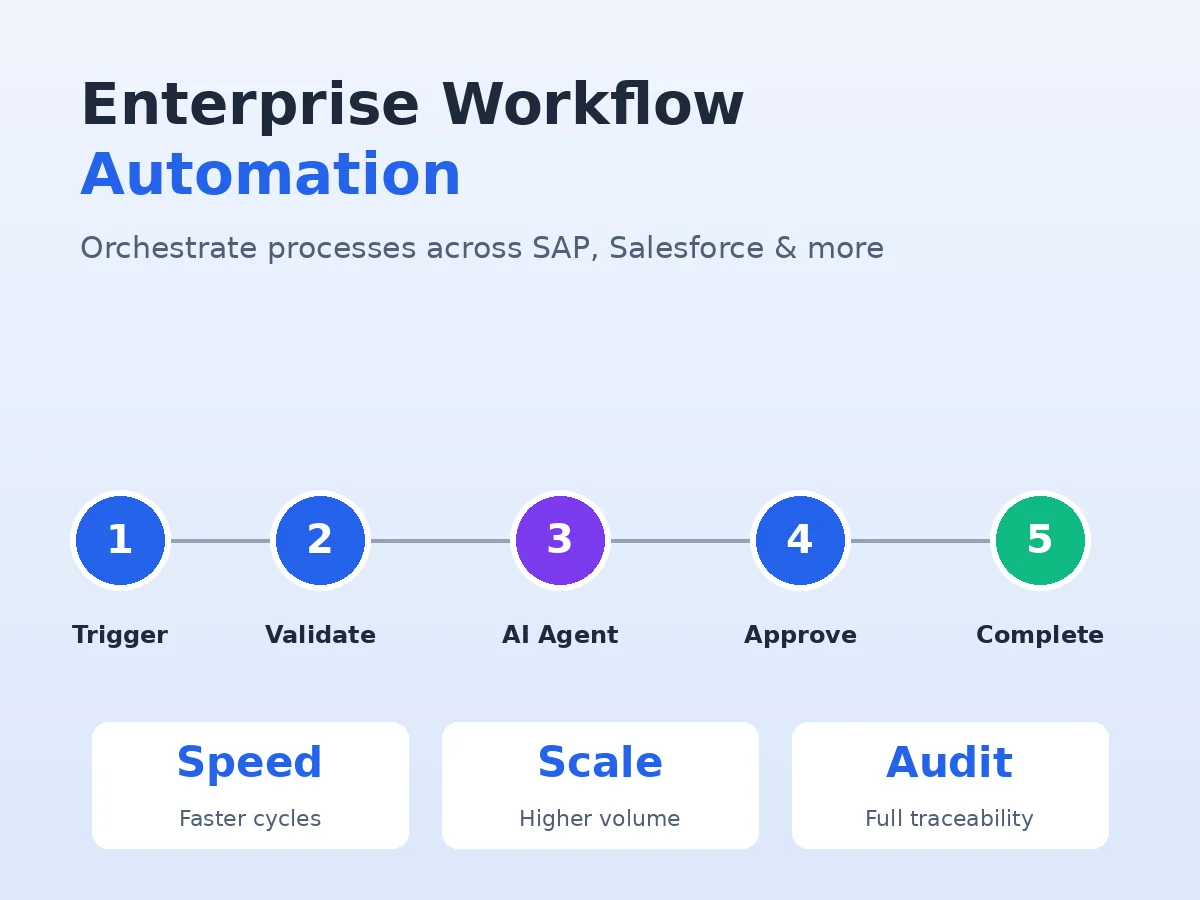
That is the problem enterprise workflow automation is built to solve. It is not just software that ticks tasks off a list. It is the connective layer that triggers, validates, routes, and completes business processes across SAP, Salesforce, ServiceNow, Workday, and custom apps, with humans involved only where their judgment actually adds value.
This guide breaks down what enterprise workflow automation really is in 2026, the three architectural layers you need to understand before buying anything, where AI agents fit, the processes worth automating first, what to look for in a platform, and the patterns that quietly cause most automation programs to stall. If you are weighing a build versus buy decision, the TAK Devs solutions portfolio covers the engineering and integration work most of these programs underestimate.
Enterprise workflow automation is software that executes, routes, and manages multi-step business processes across multiple systems without continuous human intervention.
Every workflow it runs has the same three architectural parts:
- A trigger kicks the process off. This is usually an event (a ticket created in ServiceNow, an invoice received in Coupa), a scheduled time, or a record change in SAP or Salesforce.
- Logic decides what happens next. Approval routes, validation rules, escalation paths, exception handling, all of it lives here.
- Integrations let the workflow read from and write to the systems that hold the data: ERP, CRM, HRIS, ITSM, finance platforms, and data warehouses.
Picture a procurement request. In a manual process, someone emails the request to their manager. The manager forwards it to procurement. Procurement checks a spreadsheet for budget, logs into SAP for vendor data, then emails finance for approval. Each handoff slows things down, drops detail, and invites errors.
Run the same process through an automated platform and the request gets validated against budget the moment it is submitted, routes to the correct approver based on cost and category, pulls vendor data from the system of record, and lodges the PO in SAP without anyone touching it. What used to take days runs in minutes. More importantly, every step gets logged for audit.
The Three Tiers of Enterprise Workflow Automation
Not all workflow automation works the same way. The differences between the three architectural tiers shape what you can automate, how reliably it runs, and whether it scales.
Choosing the right tier per process is the single most important design decision in any enterprise program.
Rule-Based Automation
Rule-based automation runs on IF/THEN logic. It is the most common form of enterprise automation and for good reason: it is predictable, auditable, and cheap to run at volume.
Take an automated PO approval. If the ticket has a budget impact under $10,000, route to a Tier 1 approver. If it is over that, escalate to a senior approver. Every decision is explicit and reproducible. Every output can be explained.
That predictability makes rule-based automation the strongest fit for high-compliance processes: payroll, regulatory reporting, finance close, system-to-system data syncs. The trade-off is rigidity. When inputs are unstructured (free-text emails, PDFs that do not match a standard template, ambiguous customer requests), rule-based logic alone breaks.
AI-Augmented Workflows
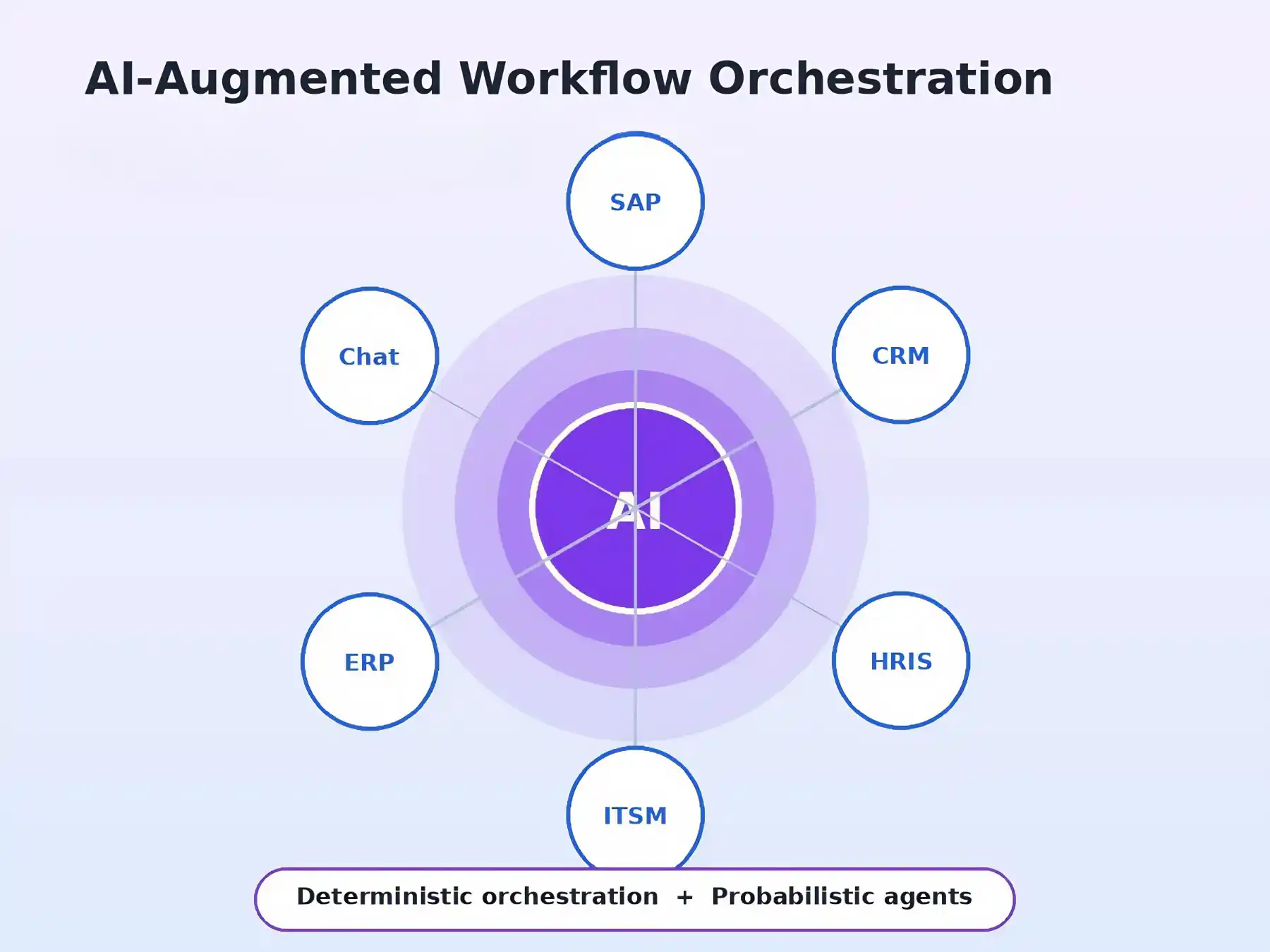
AI-augmented workflows keep the deterministic skeleton and add language understanding in the places where rules cannot reach. A procurement workflow might still use rules to approve office supply orders under $500, but route a free-text contract review request to an AI agent that classifies it as a vendor lock-in clause, an automatic renewal, or an unusual indemnification before sending it to legal.
A practical test: does the step require reasoning, or does it follow the same logic every time? Rules handle repeating logic at speed. AI agents add value when the step needs interpretation. Augmenting individual steps with AI is useful, but when judgment has to flow across multiple handoffs, you need orchestration around the agents, not just inside them.
Orchestrated Workflows
A deterministic engine coordinates humans, rules, and AI agents as equal actors in one process, each assigned to the step they are best suited for. The orchestration layer governs handoffs, enforces thresholds, audits trails, and escalates when something looks off. Confidence thresholds set the scene: a vendor classified above the threshold proceeds automatically, anything below it pauses for a human review.
In practice, a single workflow can route a purchase order through compliance checks (rules), classify an ambiguous invoice (AI agent), and escalate a flagged discrepancy for review (human), all within one governed process. Orchestration handles the steps it is best suited for, and the engine maintains full context and audit trail across every handoff.
Why Enterprises Invest in Workflow Automation
Most teams adopt enterprise workflow automation when they hit one of four operational outcomes: greater accuracy, faster cycle times, more consistent execution, and the ability to take on higher volume without adding headcount.
Manual cycles that took days can be compressed into minutes. In invoice processing, automated workflows can cut times from weeks to days and lower per-invoice handling costs. For organizations processing thousands of invoices per month, a single automated workflow can create measurable savings.
Every execution follows the same path and produces a complete log. Manual processes carry higher error rates than automated ones, including misplaced amounts, duplicate payments, and missed approvals. For regulated industries, the audit trail alone can justify the investment because the system logs every decision, routing step, and approval with full traceability.
Automated workflows handle 10,000 requests with the same consistency as 100. Organizations that automate cross-departmental processes often see the fastest return in shared service domains like AP, IT support, and employee onboarding, where the work follows the same pattern repeatedly.
High-Value Enterprise Use Cases
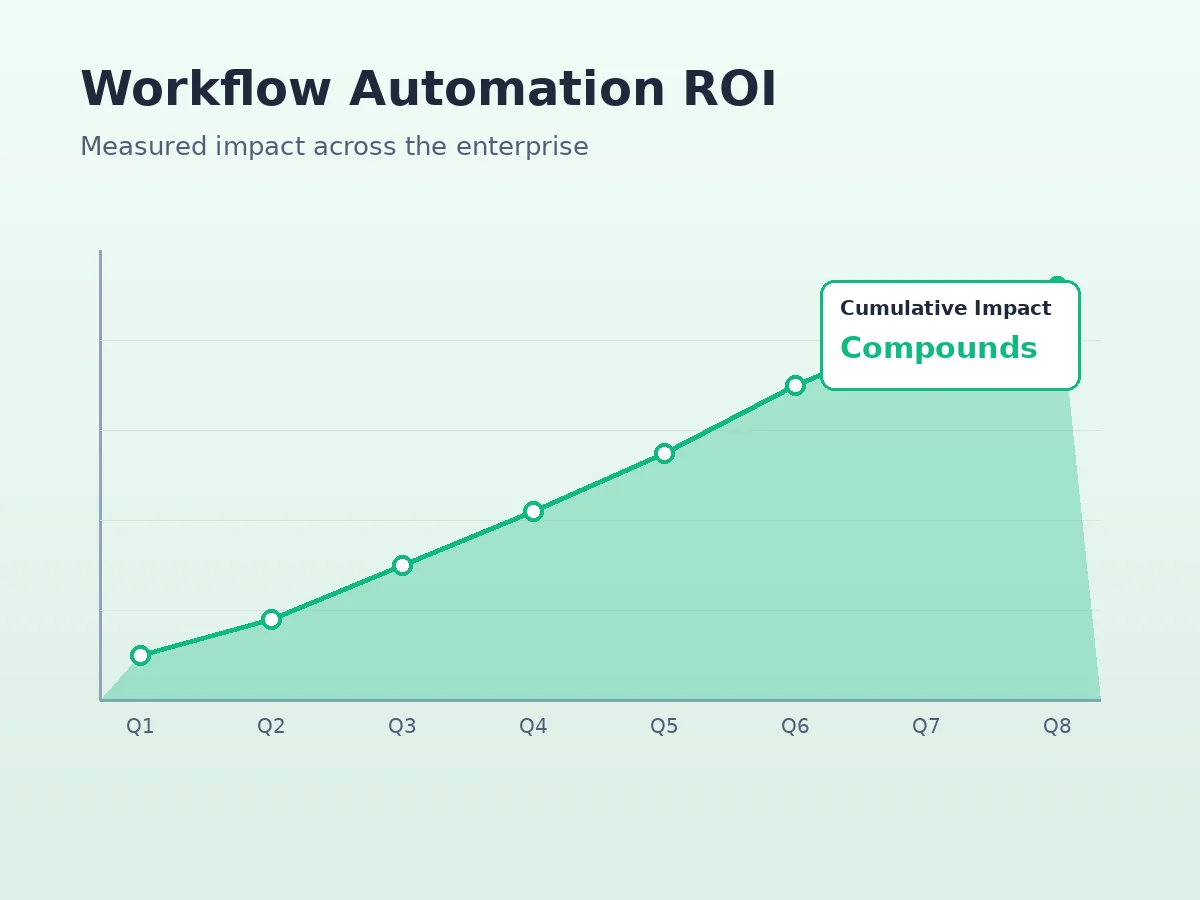
Some workflows compound value faster than others. The strongest candidates usually combine high volume, repeatable logic, and visible operational pain. Common high-ROI domains include:
- IT Service Management (ITSM): Incident management, access provisioning, ticket triage. Orchestration agents can validate approvals against policy and route requests without human intervention, slashing turnaround from days to hours.
- Procurement: AP automation has the clearest business case because the work is repetitive, rules-heavy, and high volume. End-to-end automation of validation, approval routing, receipt matching, and PO entry improves match rates and lowers manual effort.
- Finance and HR: AP, AR, journal entry tagging, expense audits, travel and expense reviews. Workflow logic that runs on predictable signals is exactly what these functions need.
- Onboarding and offboarding: Employee provisioning across IDP, MDM, HRIS, ITSM, and access management systems. A single workflow can grant or revoke access across dozens of systems in minutes rather than days.
How To Choose Which Processes To Automate First
Picking the first three to five processes determines whether an automation program builds momentum or stalls.
Four filters help identify high-ROI candidates:
- High frequency. Processes that repeat many times daily or weekly (invoice routing, ticket classification, access request approvals) deliver measurable throughput gains quickly.
- Rules-heavy. Steps that follow consistent decision logic are the cheapest and fastest to automate. If a human is making the same decision the same way every time, that step should be a rule.
- Multi-system. Processes where humans act primarily as data transfer agents between SAP, Salesforce, ServiceNow, and spreadsheets are exactly where orchestration delivers the most outsize value.
- High-error or SLA risk. Processes where mistakes create downstream cost like duplicate payments, compliance violations, and SLA breaches. Automation here compounds benefits because the fewer errors caught upstream save throughput at the same time.
Start with the process that scores highest across all four filters and deploy it in full. Once you have demonstrated ROI, expand. Deploying one workflow at a time reduces integration and change-management complexity, and reinforces the value of building automation programs that compound over time.
A common path is to start with employee onboarding or invoice capture, generate visible savings, and use those wins to build internal advocates. That early proof point funds the next phase, where a process that absorbs significant manual effort every month (compliance checks, customer requests, document control) gets the budget and headcount it needs. Each deployment makes the next one easier to fund.
Once you have identified the right process, the next decision is which system can run it reliably.
What To Look For in a Workflow Automation System
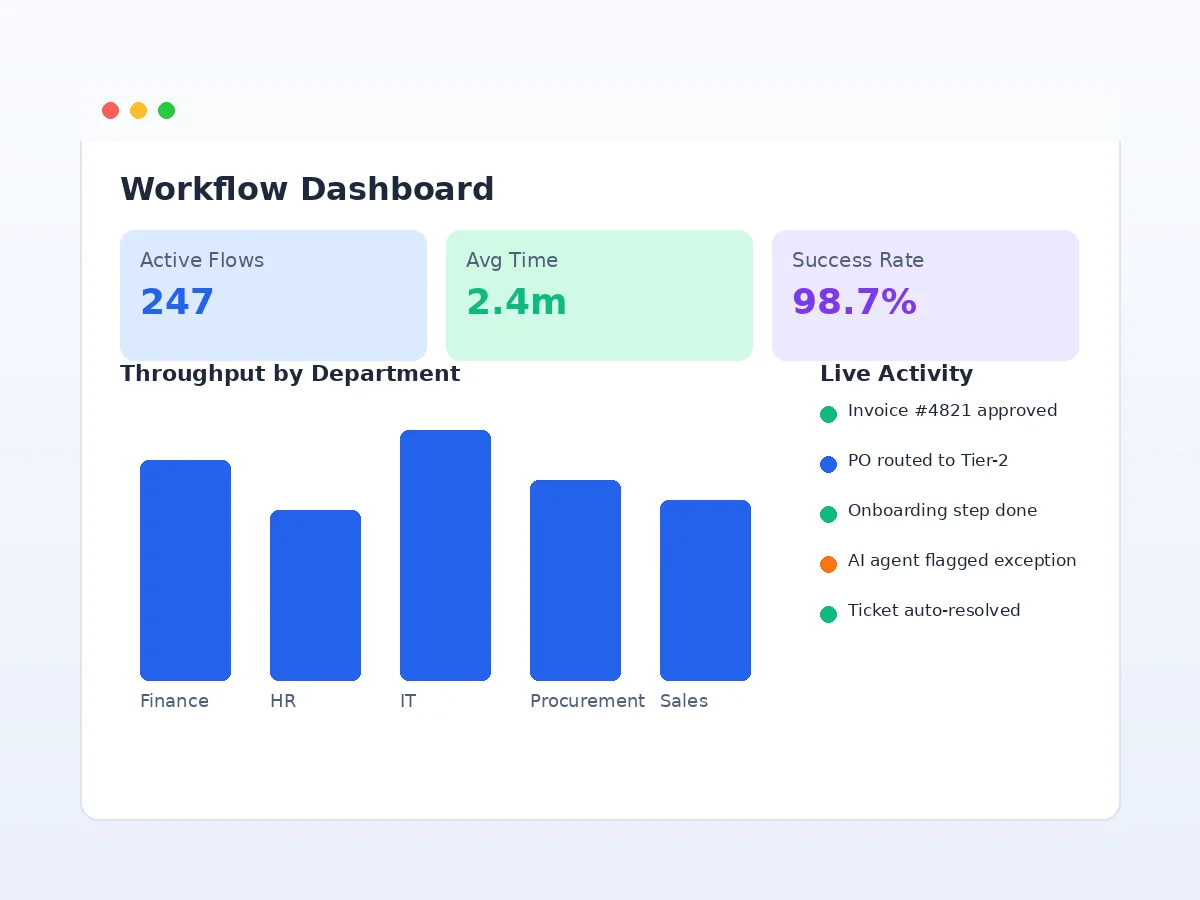
System selection is an architectural decision. The core question is whether the software offers a unified orchestration or control layer for end-to-end coordination across people, systems, and automation, or relies on multiple integrated tools to assemble that capability.
Six criteria matter most:
- A native workflow engine. Orchestration should be the software's core, not a capability bolted on as a point solution. Patchwork integrations with logic glue can create technical debt that compounds with every new workflow.
- Multi-vendor support. A real workflow should route through a rules engine, hand off to an AI agent, and request human approval, all within complete context and an audit trail. Systems that treat only one actor type as a first-class citizen will limit you as processes get more complex.
- No-code builder for business teams. If your team needs a developer to modify an approval threshold or add a routing rule, you have created a bottleneck that slows ROI. The business team should own their workflows independently.
- Data stays in your environment. For regulated industries, data residency is a disqualifying criterion before functional evaluation begins. Data sovereignty requirements drive software selection and cloud strategy decisions in heavily regulated sectors such as healthcare, financial services, and government.
- Full auditability and human-in-the-loop controls. Configurable confidence thresholds, approval chains with complete traceability, and role-based access control (RBAC), adjustable per workflow based on risk. Without these controls, a misconfigured agent could approve transactions that bypass compliance review at scale.
- Time-to-value in weeks. Traditional enterprise implementations often span months and require dedicated technical teams. Modern platforms aim for production deployment in weeks, with the first workflow built collaboratively and the customer's team able to take over without permanent vendor dependency.
Any system that fails on orchestration, auditability, or data residency creates friction that compounds with every new workflow added.
RPA vs Workflow Automation: What's the Difference?
This comparison comes up in nearly every enterprise evaluation, and the two are often confused.
| Approach | How It Works | Best Suited For |
|---|---|---|
| Robotic Process Automation (RPA) | Mimics human UI interactions, clicks buttons, copies fields | Legacy systems without APIs, short repetitive tasks |
| Workflow Automation | Orchestrates entire processes using APIs and events | Multi-system processes requiring coordination and audit |
| Combined Approach | Workflow automation calls RPA bots as step types | Mature enterprise programs with mixed legacy and modern systems |
Robotic Process Automation (RPA) mimics how a human interacts with a user interface. A bot clicks buttons, copies fields, and pastes data between applications. It is useful when no API exists, when the system is legacy, or when the process is short and very repetitive.
Workflow automation orchestrates entire processes across systems using APIs and events, not screen clicks. It can call RPA bots as one of many step types, but its job is much broader: route work, coordinate humans and agents, enforce rules, maintain context, and produce an audit trail.
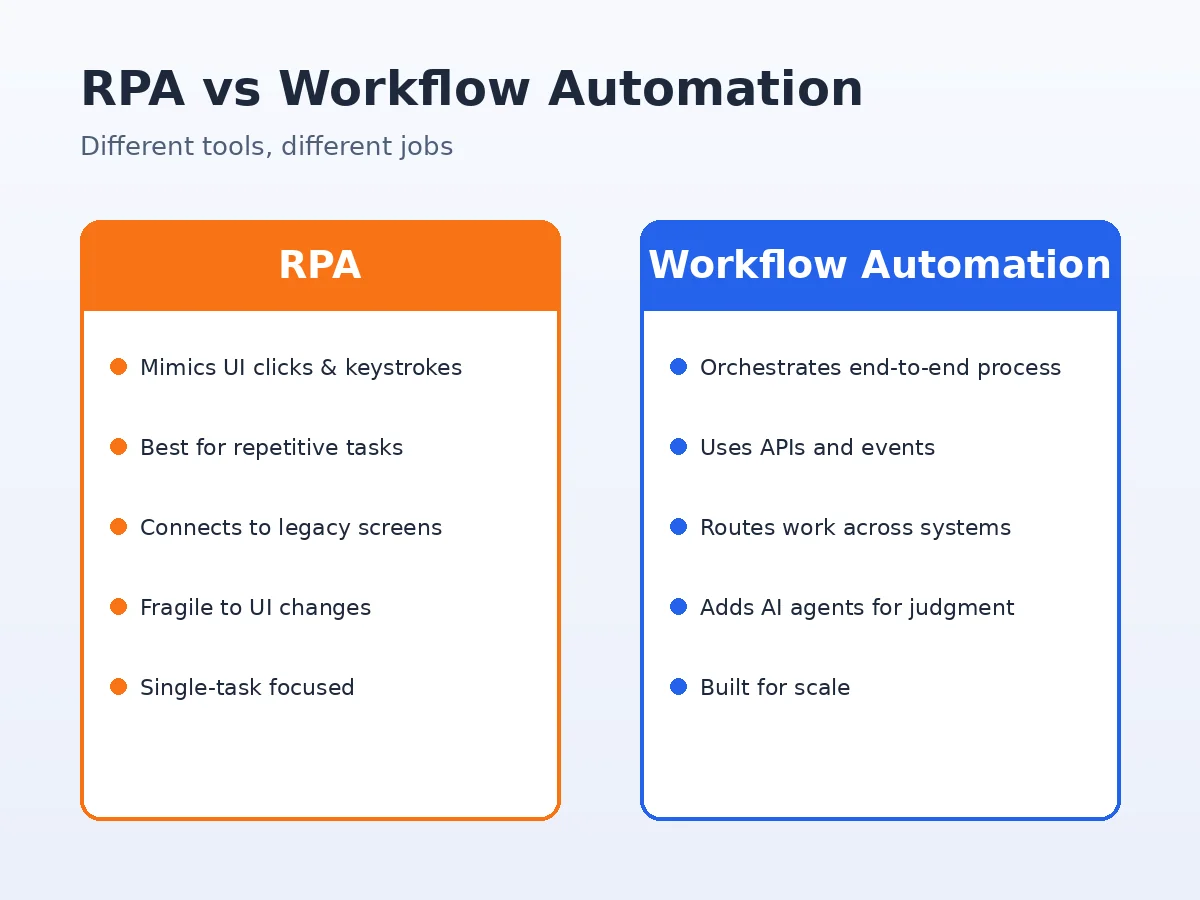
In practice, most mature enterprise programs use both. Workflow automation is the orchestration backbone, and RPA bots handle the screen-driven tasks inside legacy systems that have no other access path.
Why Workflow Automation Initiatives Fail
Workflow automation programs usually break down for a few common reasons. The pattern is widespread enough that industry analysts have forecast a meaningful share of agentic AI initiatives to be cancelled by the end of 2027.
While that statistic covers agentic AI broadly, the failure pattern reflects a common set of workflow automation flaws. Three clusters account for most of the underperformance:
- Automating a broken process. Automation accelerates what is there, including the flawed parts. If a process is missing PO data, automating it produces the same failure faster. Many enterprise RPA implementations struggle to deliver expected value because the underlying processes were poorly documented, inconsistent, or dependent on undocumented workarounds. The fix is to map the process, remove obvious waste, define the trigger and logic branches, then automate. Automation amplifies whatever it executes.
- Starting too broad. Enterprise-wide automation programs create complexity that can outstrip organizational change capacity and IT integration bandwidth. Programs stall, stakeholders lose confidence, and the budget gets redirected. The fastest route to production is a bounded discovery sprint: one high-value process, one well-defined audience, fully deployed, with demonstrated ROI before expanding.
- Building on the wrong layer. Deploying AI agents without a deterministic orchestration layer introduces probabilistic variability into processes that require predictable outcomes. The failure mode is subtle: agents do not visibly break, they drift over time. Even small error rates at each step, multiplied across the chain, significantly reduce end-to-end accuracy and make AI-only systems more fragile in enterprise settings than single-step automation.
Enterprise Workflow Automation Done Right
Enterprise workflow automation programs do not fail because the technology is wrong. They fail because the process design, integration architecture, and governance model do not match the way the business actually runs. This is the gap TAK Devs was built to close.
Our engineering teams have shipped automation programs across finance, procurement, IT operations, and customer support for organizations running on SAP, Salesforce, ServiceNow, NetSuite, Oracle, Workday, and dozens of homegrown applications. Three principles shape every engagement: process before platform, deterministic orchestration first with AI where it earns its place, and built to outlast the vendor so workflows are documented, governed, and owned by the customer team.
Whether your starting point is a single high-volume process or a multi-year program covering finance, HR, IT, and operations, the TAK Devs team can plug into the planning, architecture, build, and operate phases of your enterprise workflow automation journey. Our custom AI and data development services cover the agent design, model evaluation, and data pipeline work that most platforms expect you to figure out on your own.
Explore TAK Devs SolutionsGetting Started with Enterprise Workflow Automation
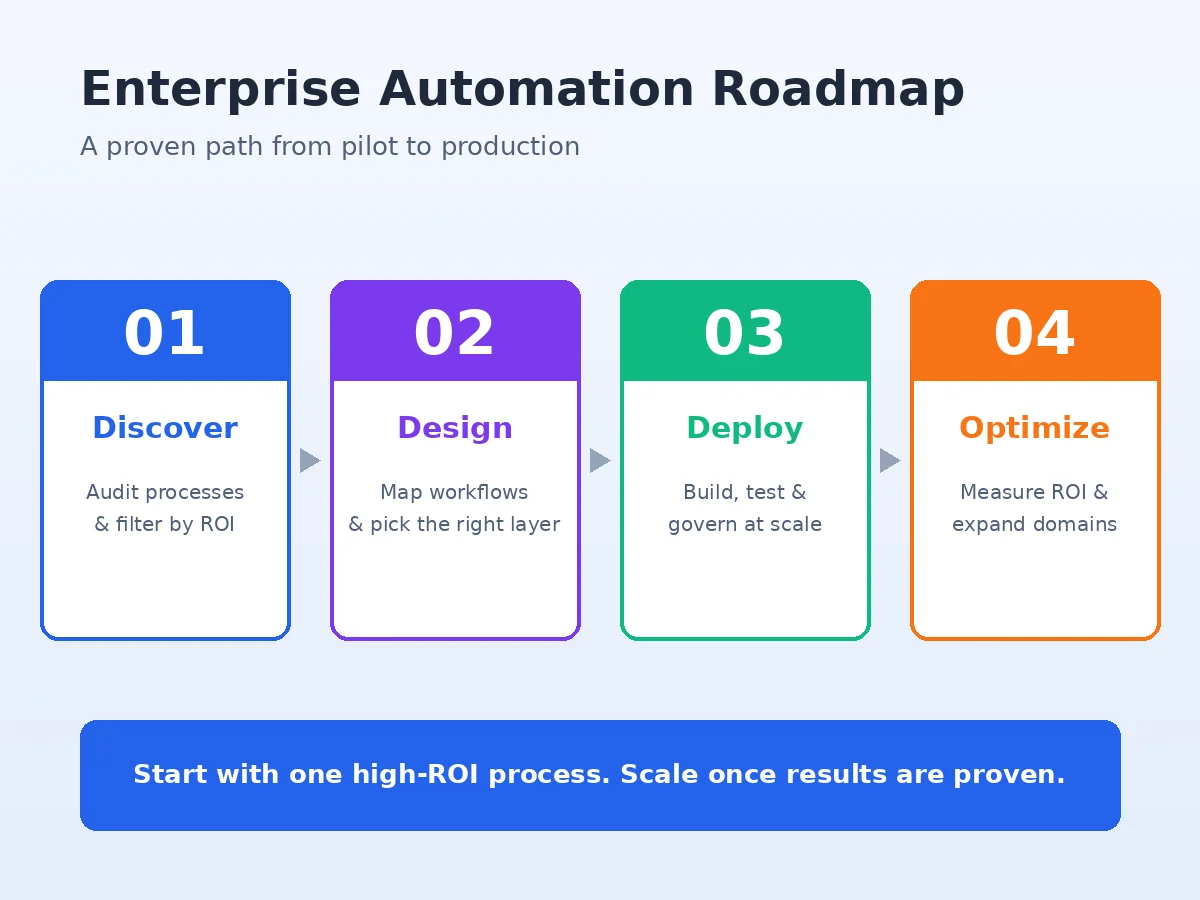
The teams that succeed with workflow automation tend to follow the same pattern. They pick one high-value process, deploy it fully, and use that as the proof point for the next one.
The system you choose matters as much as the process you pick.
The fastest route to ROI is usually this: start with one high-frequency, rules-heavy, multi-system process. Instrument it. Measure the before-and-after on cycle time, error rate, and cost per transaction. Use the data to fund the next deployment. Resist the urge to boil the ocean.
If you are evaluating systems, the criteria above (native orchestration, multi-vendor support, no-code builder, data residency, full audit, time-to-value in weeks) will narrow the field quickly. If you are evaluating partners, look for teams that can show you production deployments in your industry, not slide decks.
Frequently Asked Questions
The questions below reflect the real concerns enterprise teams face when planning a workflow automation program.
Enterprise workflow automation is software that runs business processes across multiple systems on its own. Instead of people emailing approvals, copying data between SAP and Salesforce, or chasing status updates, the platform handles the routing, validation, and execution. Humans step in only where their judgment is required.
RPA mimics human clicks and keystrokes in a user interface. Workflow automation orchestrates the entire process across systems using APIs, events, and rules. Most enterprises use both: workflow automation as the orchestration backbone, with RPA bots called in for legacy systems that have no API.
It depends on scope. A single high-value process, well scoped, can be in production in four to eight weeks. Programs that try to automate dozens of processes at once typically take six to twelve months and carry far more risk. The pattern that works is to start small, prove ROI, and expand.
Yes. A modern enterprise workflow automation platform connects to existing systems through standardized integrations and APIs. That means there is no rip-and-replace project, no major data migration, and no disruption to the systems your teams already depend on. The orchestration layer sits above them.
It depends on the process. Rules are enough for steps that follow consistent logic every time (approval routing, validation, scheduled triggers). AI adds value when steps require interpretation of unstructured input (classifying free-text requests, reading invoices that do not match a template, scoring vendor risk from narrative data). The best architecture combines both, with rules as the backbone and AI agents added only where they earn their place.
Look for processes that are high-frequency, rules-heavy, multi-system, and high-error. Invoice processing, employee onboarding, IT ticket triage, expense approvals, and access provisioning almost always fit. Pick the one with the most visible operational pain and the cleanest data, and deploy it fully before starting the next.
The two terms overlap heavily. Business process automation is the broader category, covering any technology that automates business processes. Enterprise workflow automation is a specific approach within BPA that focuses on orchestrating multi-step processes across systems and actors (humans, rules, AI agents). In practice, when enterprises say BPA in 2026, they almost always mean workflow automation as described in this guide.
Costs vary widely by platform and scope. License costs scale with the number of workflows and execution volume. Implementation costs depend on integration complexity, change management, and whether you build in-house or work with a partner. The TAK Devs team typically scopes a discovery sprint before quoting full-program costs, because realistic estimates depend on the systems involved and the state of the current process documentation.
Mature platforms generate a complete audit trail for every workflow execution, including triggers, decisions, approvals, rerouting, and data changes. For regulated industries (finance, healthcare, government), this audit trail is one of the strongest arguments for automation. It is more thorough than what manual processes typically produce, and it is queryable in ways that paper or email-based approvals are not.
Orchestration is the deterministic layer that decides which agent runs where, sets confidence thresholds, enforces handoffs to humans, and maintains audit trails. Without it, AI agents drift over time and small errors compound across multi-step processes. The orchestration layer is what makes agentic workflows safe to run inside an enterprise risk envelope.
Yes. TAK Devs builds custom enterprise workflow automation solutions across procurement, finance, IT operations, HR, and customer support. We cover process discovery, architecture, integration with SAP, Salesforce, Oracle, Workday, ServiceNow, and other enterprise systems, agent design, governance, and post-deployment optimization. The TAK Devs solutions page outlines the full delivery model.
Conclusion
Enterprise workflow automation has moved from a nice-to-have efficiency play to a core operating layer. The organizations getting it right are the ones that treat it as architecture, pick one process at a time, build on a deterministic orchestration foundation, and add AI agents only where they measurably outperform rules.
The technology is mature. The patterns are well understood. The remaining work is execution: choosing the right process, picking the right platform, and partnering with engineers who have shipped this before in environments that look like yours.
If you are at the start of that journey, or stuck somewhere in the middle, the TAK Devs team can help you make the next decision the right one. Explore the full TAK Devs solutions portfolio to see where your program fits.
Ready to Automate the Work That Scales With Headcount?
Schedule a free discovery conversation with the TAK Devs team. We will help you map a high-value process, evaluate your platform options, and define a clear path to production.
Schedule a Consultation